
How to Book a Ground
Getting a game on usually starts with the most boring part: finding a ground that is free and pinning down the owner to say yes. Skipper folds that into the app. Browse the grounds taking bookings, see the slots that are actually open, and send a request the owner can confirm with a tap. No group-chat back and forth, no turning up to find someone else has the nets.
Finding a Ground That Takes Bookings
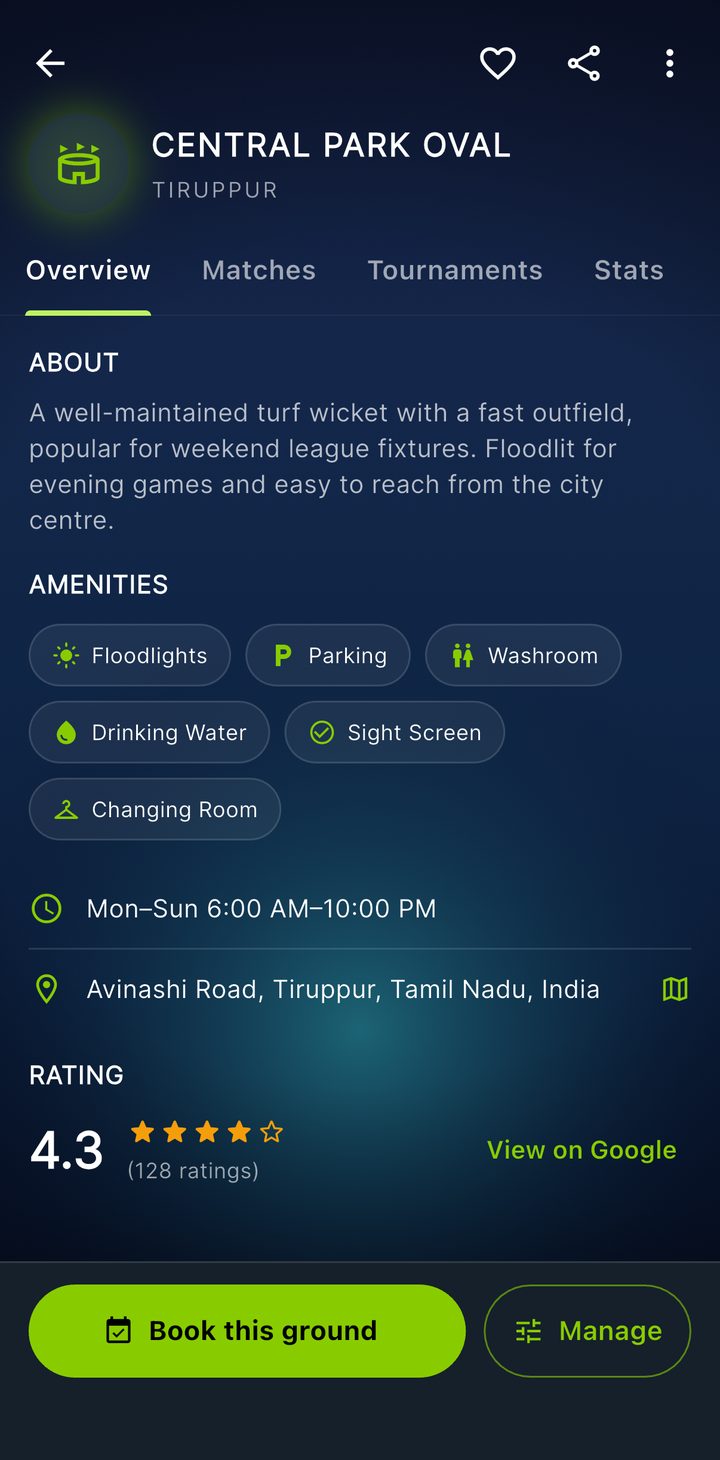
Open the Grounds tab. Grounds that accept bookings sit under Bookable, separate from the wider list of venues. Tap one to open it, and if it is taking bookings you will see a Book this ground button pinned at the bottom.
Picking a Day and a Slot
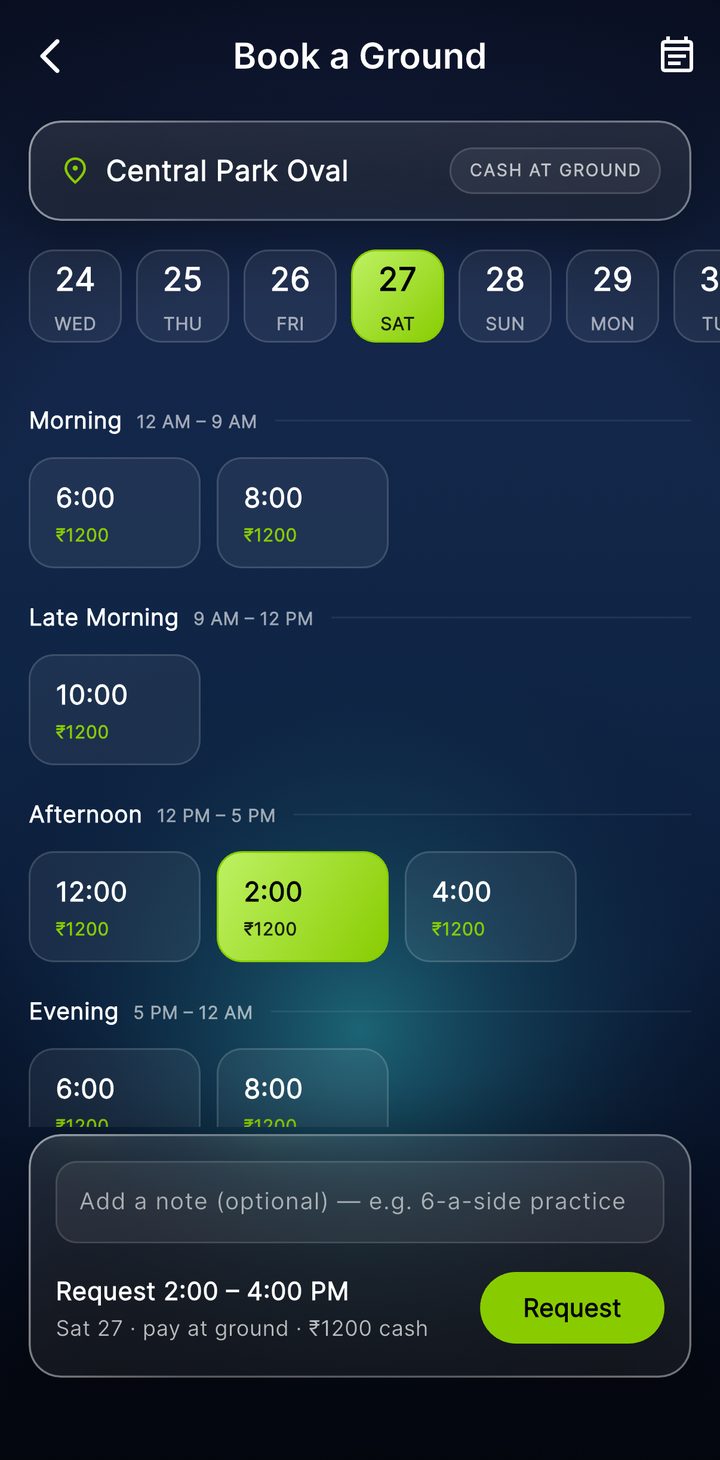
Tapping that button opens the slot picker. Choose a date from the strip along the top, today or any day ahead, and Skipper lays out that day's slots grouped by time of day, morning through evening. Each slot tells you what you need to know at a glance:
- the time it runs, say 6:00 to 8:00 in the morning,
- the price, shown as an amount, or as free, or as "contact ground" where the owner would rather sort it directly, and
- whether it is open, already taken, or a slot you have already asked for.
Pick an open slot, add a short note if it helps, "six-a-side practice" or "league fixture, need it for three hours," and tap Request. That is your request in. It goes to the ground as a pending booking, and you get a nudge that the owner will confirm it.
What Happens After You Ask
A request is not a confirmed booking yet. It lands with whoever runs the ground, and they either confirm it or decline it. Either way you get a notification, so you are not left refreshing. If they confirm, the slot is yours and locked to everyone else. If two people had asked for the same slot, confirming one politely declines the others, with the reason shown, so nobody is left guessing.
You can keep track of all of this under My Bookings. Your next confirmed game sits at the top where you cannot miss it, with anything still pending and your past bookings below. Plans change, so you can cancel a booking, whether it is still pending or already confirmed, and the ground is told when you do.
A couple of honest notes. Payment is handled the old-fashioned way, in cash with the ground, with the price shown up front so there are no surprises. And there is no reschedule button yet, so to move a game you cancel the slot you have and request the new one.
If You Run a Ground
The other side of this is for the people who own or manage a ground. Skipper grants ground-manager access, and once you have it a venue you look after gains a small admin panel of its own. From there you:
- turn bookings on or off for the ground,
- set your weekly hours, how long a slot runs, and the price for each, day by day, and
- work the requests as they come in, confirming or declining each, with a reason if you decline.
Slots are worked out from the hours you set, so once your week is in, the calendar fills itself. Every new request pings you, and a confirm locks the slot and clears any clash automatically. If you run a ground and want it taking bookings, get in touch and we will set you up.
The whole thing is built to do one thing well: get a fixture and a ground to agree on a time without a single phone call. Find the slot, send the request, get the nod, go and play.