
Bring Your Stats from Another App
Most cricketers who come to Skipper are not starting from zero. There are seasons behind them, a hundred here, a five-for there, all sitting in some other app. A brand-new, empty profile does not do that justice. So Skipper lets you bring the record across, and the only thing you need is a screenshot.
The Idea
Open your old app, take a screenshot of your stats page, and hand it to Skipper. It reads the numbers off the image for you, lays them out in a form, and lets you check them over before anything is saved. No retyping a decade of cricket line by line, unless you want to.
Importing Your Own Record
Where to start
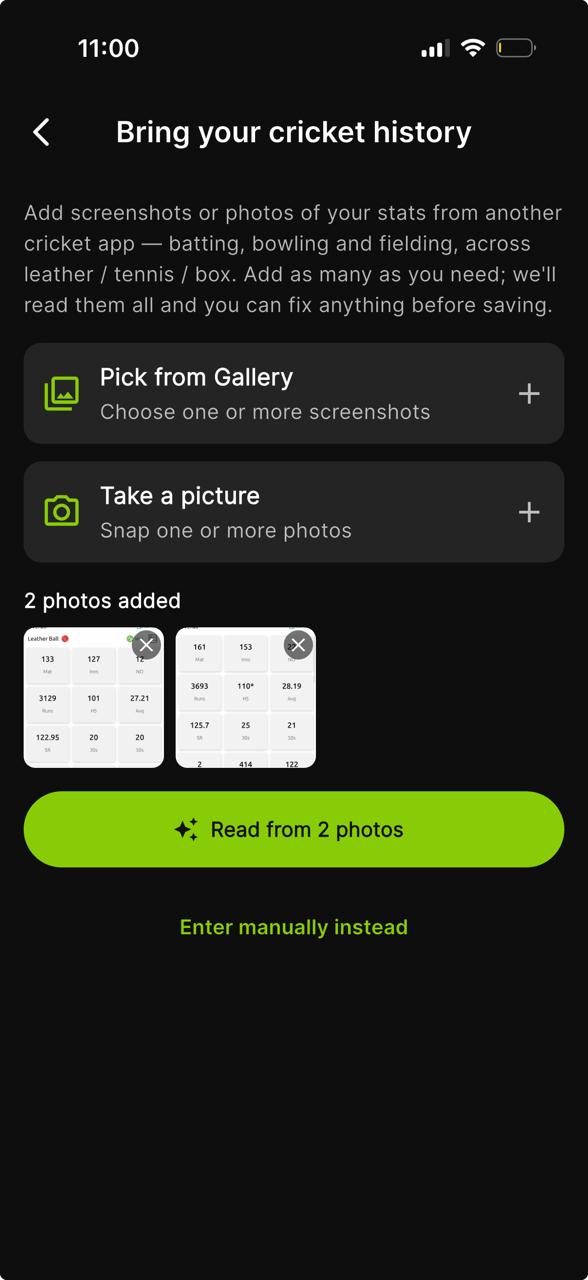
You will be offered the import during sign-up, on the screen that asks whether you have stats from another app. You can also come back to it later from your profile. Either way you land on the same screen, Bring your cricket history.
Hand over the screenshots
Choose Pick from Gallery for screenshots you already have, or Take a picture for a scorebook or a printed page. Add as many as you need, batting, bowling and fielding, across leather, tennis and box. A record spread over a few screens is no problem, and each shot you add shows up as a thumbnail you can remove if you grabbed the wrong one.
Let Skipper read them
Tap Read from your photos. The images go up, and Skipper pulls the figures off them for you. This is the part that saves you typing a decade of cricket by hand.
Check it over
What comes back is a short, four-step review, and this is the important bit. The reading is good, but a smudged screenshot or an odd layout can throw a number off, so you get the final say:
- Batting, matches, innings, runs, average, strike rate, fifties, hundreds, ducks, and the rest.
- Bowling, innings, overs, wickets, runs, average, economy, your three-fors and five-fors.
- Fielding, catches, stumpings, run outs.
- Review, a summary of the lot, with an Edit on each section if something needs a second look.
Anything the reader missed, you simply fill in. Anything it got wrong, you correct.
Leather, tennis, and box
Cricket is not one game, and your stats should not pretend it is. Tabs at the top let you keep three separate records, Leather, Tennis, and Box. A dot marks which ones you have filled in. Your leather-ball average and your box-cricket average live side by side without muddying each other.
Save it
Tap Import Stats and your record lands on your profile. Prefer to do it by hand? Enter manually instead opens the same form with blank fields.
Imported, and Honestly Labelled
Open the Stats tab on your profile and you will see your career with the imported figures folded in, under a clear line that reads "includes imported stats, not counted in Skipper rankings." Tap Show imported breakdown to see exactly which numbers came from where, and use the category filter to read your leather, tennis or box record on its own.
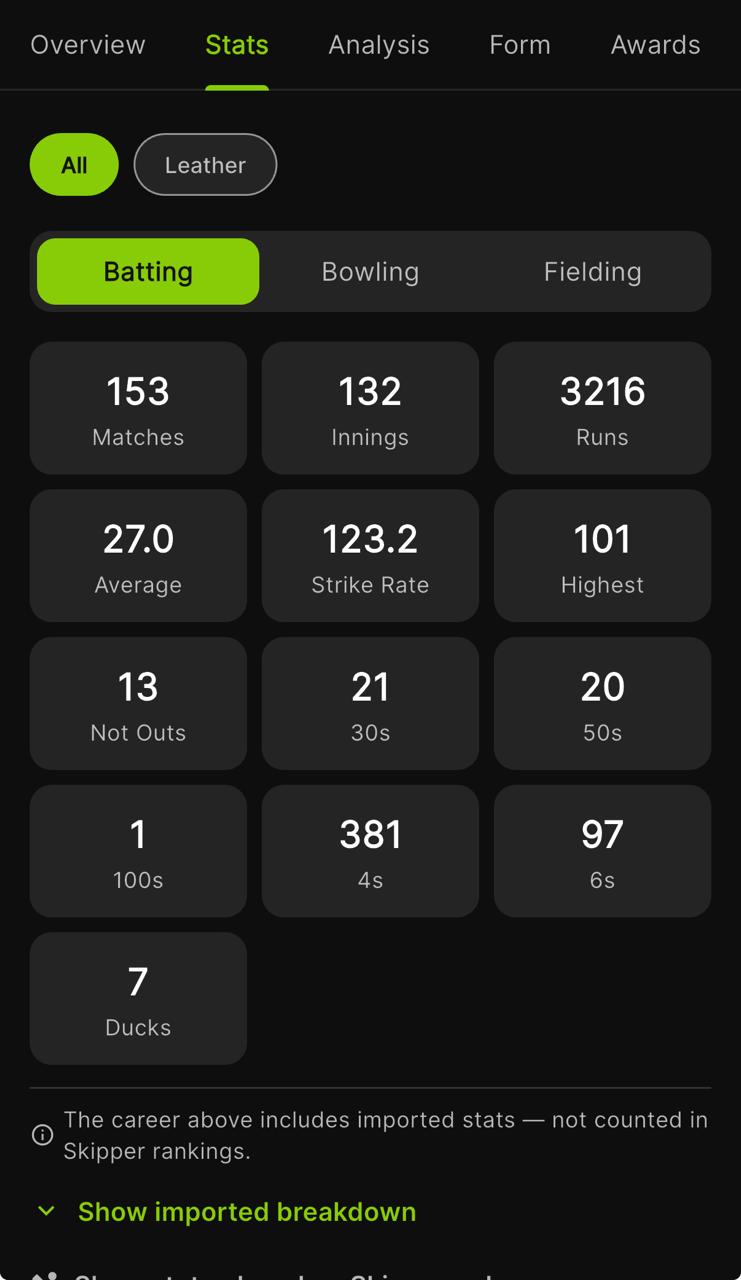
That line matters. Imported stats tell your story, but they never count toward Skipper's leaderboards or rankings. Those are built only from matches actually played and scored on Skipper, so nobody can climb a board on a record from somewhere else. Your history is yours to show. The competition stays clean.
Bringing a Team's Record Across
A team has a history too, and if you run one, you can import its overall record the same way. From the team's page, a team owner or admin starts an import, drops in a screenshot, and fills in a single short form:
- Matches, Won, Lost, Tied, and No Result.
- Toss wins, if you have them.
- A link to the team's page on the other app, if you want to credit the source.
Tap Save and the record sits on the team page as history. Like personal imports, it is stored on its own and does not feed any ranking. Only the team's owner or an admin can add it.
The Point of It
You should not have to choose between the cricket you have already played and a fresh start somewhere better. Bring the past in, mark it for what it is, and let everything from here build on top of a profile that already looks like a career.