
Set Up and Maintain Your Profile
Every run you score and every wicket you take in Skipper has to belong to someone. Your profile is that someone. Fill it in once and it becomes a career record that follows you from your local turf to any tournament you turn up at, with the stats updating themselves after every game you play.
It takes about two minutes to set up. Here is what each piece is for.
Where Your Profile Lives
Tap the Profile tab at the bottom of the app. You will see your profile banner, your photo, your name, and your cricketing role underneath. The pencil icon takes you to editing. Tap the banner itself and you open your full player page, the one with your career stats on it.
Filling It In
Editing your profile is a short, five-step flow.
Name and the basics
- Name, how you want to be known.
- Short Name, the version that fits on a scorecard, like "V Kohli." Leave it blank and Skipper works one out for you.
- Gender.
- Date of birth. This one matters more than it looks. It is what lets you play in age-group tournaments like Under-14 or Under-19, so it is worth getting right.
A photo
Optional, but a face makes your profile and the scorecard feel like yours. You can add one from the camera or your gallery, or skip it and add it later.
Your cricket profile
This is the heart of it:
- Player role: Batter, Bowler, All-Rounder, or Wicket Keeper.
- Batting style: right or left handed.
- Bowling style: from fast through to the spin variations, or none if you do not bowl.
These shape how your stats are read and how you show up when a captain is looking for, say, a left-arm spinner.
Other ways you contribute
Plenty of people do more than bat and bowl. If you also score, umpire, stream, or organise, tick those here. It is a multi-select, so pick as many as fit.
Where you play
Add your city so Skipper can help you find matches and players near you. Also optional.
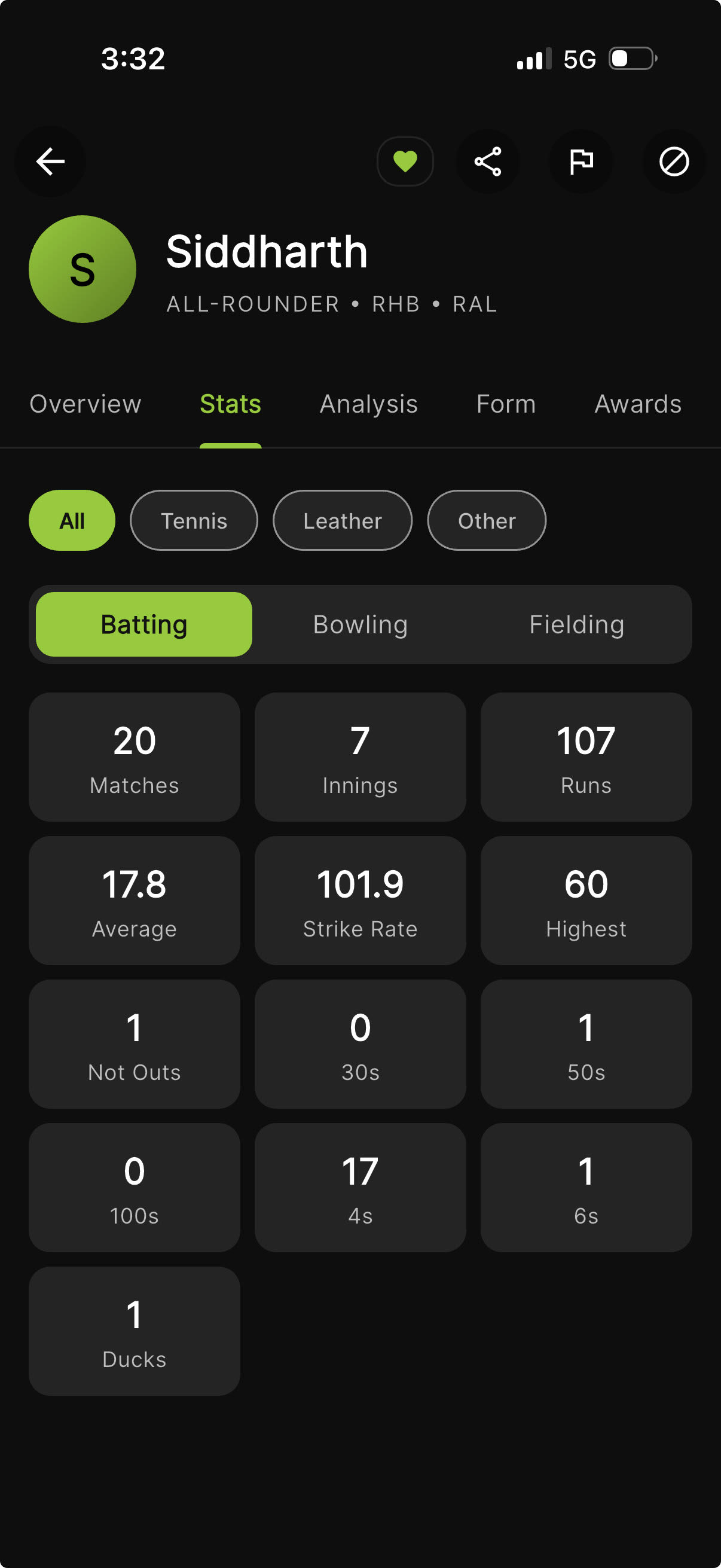
Account and Player: Two Things, One You
It helps to know how Skipper thinks about you. Your account is how you log in, tied to your phone number. Your player profile is your cricketing self, role, styles, and career stats, and it gets created the first time you complete that cricket-profile step. From then on the two are linked, so everything you do on the field lands on your record automatically.
This is also why a guest player someone added to a team is not the same as you. When that guest joins Skipper and links up, their past games can come across to the real profile.
What Your Player Page Shows
Your full player page is more than a number or two. It has tabs for your career stats, a shareable player card, recent form, every match you have played, deeper analysis like your wagon wheel, the teams you belong to, and any awards. It is the closest thing club cricket has to a player profile on the telly.
Who Can See You: Privacy
You decide how findable you are:
- Open: anyone can search for you and add you straight to their team. Easiest if you play a lot of casual cricket with new people.
- Protected: people can only add you by scanning your QR code or sending an invite you accept. Use this if you would rather control who puts you on a team sheet.
Neither one hides your cricket. It is purely about who gets to add you without asking first.
Keep It Current
The only upkeep worth doing is small. If you switch from medium pace to off-spin, or move cities, or finally get a photo you like, drop into the Profile tab and update it. Everything else, the runs, the wickets, the averages, takes care of itself. You just keep playing.