Match Reports and Player Insights
Every big match gets written up. Someone files a report, names the turning point, hands out the credit. Your Sunday game on the maidan never had that, until now. Skipper reads the same scorecard you are building, ball by ball, and writes the match its own report, the way a cricket journalist would. No prompt to type, no form to fill. It is just there on the match, waiting to be read.
Where the Report Lives
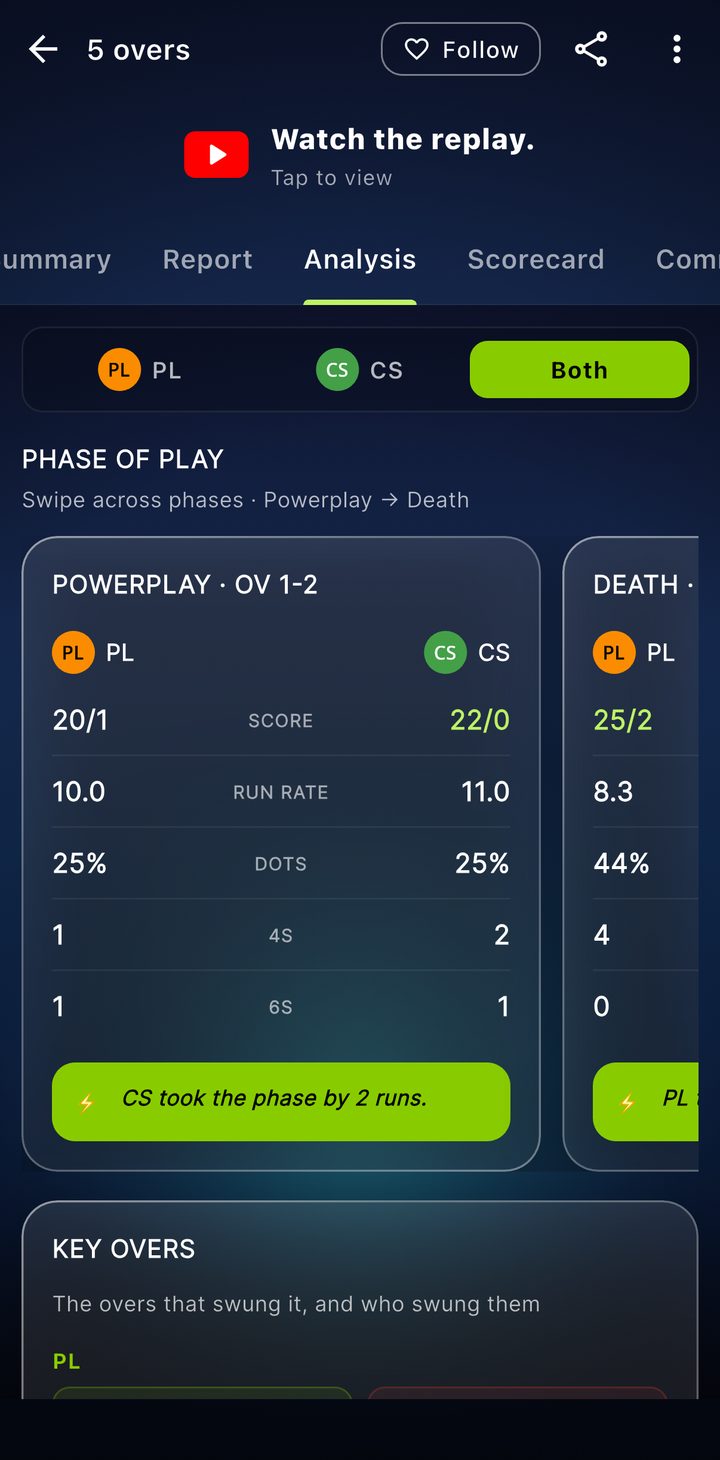
Open any match and look along the tabs on its scorecard. One of them is called Preview before the match and Report after it. What it says depends on where the match is in its life:
- Before a ball is bowled it reads Match Preview, a look ahead built from each side's recent form, their last elevens, how they have gone head to head, and the record at this ground.
- Once the result is in it becomes the Match Report, a proper write-up of what happened, the swing of it, who shaped it, where it was won and lost.
The writing comes out in clean sections with a headline and a few paragraphs, the shape of a report on a cricket site, not a wall of numbers. If you have a view on it, there is a thumbs up and thumbs down at the bottom. That tells us when a report nailed the game and when it missed, and it is how the writing keeps getting better.
Share the Report
Once a limited-overs match is finished and its report is written, tap the share button on the scorecard. Under Share Match you will find three report options: Match report (image), Match report (PDF) and Match report card. The image and the PDF fit the whole report on one page, like the sports page of a newspaper. The card is sized for WhatsApp and Instagram. If you send the image on WhatsApp, choose HD, or send the PDF for the sharpest copy.
The side panel on the page changes with the match. A league game shows the points table, a knockout shows the road to the final, and a one-off match shows partnerships, the fall of wickets and the head to head. Test matches do not have a shareable report.
It Takes a Moment, and a Connection
The first time someone opens the report for a match, Skipper writes it on the spot. You will see a short "Writing the match report" wait while it is put together, and then it is saved, so everyone who opens it after that gets it straight away. Because it is written for you when you ask, the report needs a connection. This is the one part of Skipper that does not work offline, for the simple reason that the writing happens on our side, not on your phone.
Every Player Gets a Breakdown
The report is the match's story. The player insights are each individual's part in it. Tap any name on the scorecard, a batter, a bowler, whoever caught your eye, and you open their breakdown for that game.
At the top sits an MVP score, Skipper's read on how much that player's performance was worth to the match, so the quiet thirty that held an innings together gets its due alongside the loud one. Below it, the same kind of cards you find on a player's career page, only this time for this match alone: how the innings was built ball by ball, the wagon wheel of where the runs went, how they fared against pace and against spin, and the head to head with the bowlers they faced. For a bowler, it is the mirror image.
Where It Comes From
None of this is invented. The report and the breakdowns are built from the deliveries you scored, the same source as every other number in the app. The preview leans on history, recent form and past meetings. The report leans on the match itself, every ball of it. The better the match was scored, the sharper the write-up reads, which is one more reason to keep the scoring honest and, where you can, to score with enrichments on.
Share the watch link with someone who could not make it and they get the whole match, the scorecard, the report, and the player breakdowns, without needing the app. It is the difference between telling someone you won and showing them how.